Technical Architecture
From ERP data to ESRS disclosure — the technical architecture
No data transformation middleware, no manual mapping spreadsheets. Greenopsiq's pipeline reads, classifies, and structures your emissions data end-to-end.
Automation Pipeline
The four-stage automation pipeline
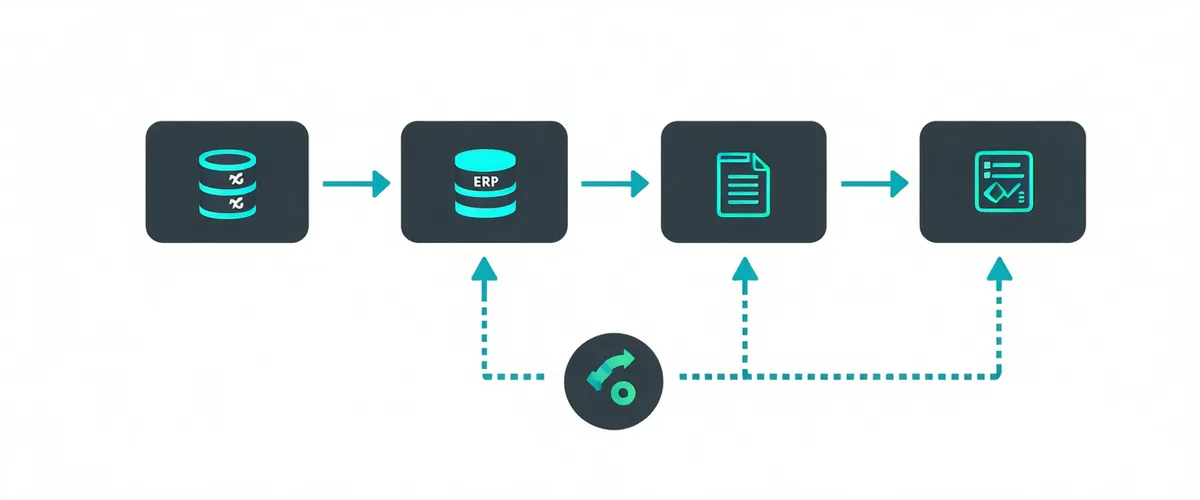
Stage Details
What happens at each stage
Secure ERP Connection
Read-only OAuth connector to SAP S/4HANA, Oracle Fusion Cloud, NetSuite. Ingests GL transactions, purchase orders, expense reports, and utility invoices. Data never leaves your security perimeter — we pull; we don't store raw records.
Transaction Classification
Each GL line item is classified against GHG Protocol Scope 1-3 categories using vendor taxonomy, expense type, and spend data. Confidence scores shown. Low-confidence items flagged for one-click human review.
Emission Factor Application
IPCC AR6 emission factors, IEA regional grid factors, and ECOINVENT supply chain factors applied per classification. Full factor version audit trail maintained for ESRS assurance requirements.
ESRS Report Assembly
Structured ESRS E1 disclosure package with data tables, methodology appendix, boundary definitions, and gap analysis. Export to PDF, XBRL, or structured JSON for external assurance workflows.
Setup Timeline
Setup time: one afternoon
OAuth credential configuration takes 2-4 hours with your IT admin. No ETL pipelines to build. No middleware to maintain. First automated Scope 3 run completes within 24 hours of connection.
View all integrationsReady to connect your ERP?
Book a 45-minute technical walkthrough. We'll show you exactly how the connection works with your specific ERP version.